
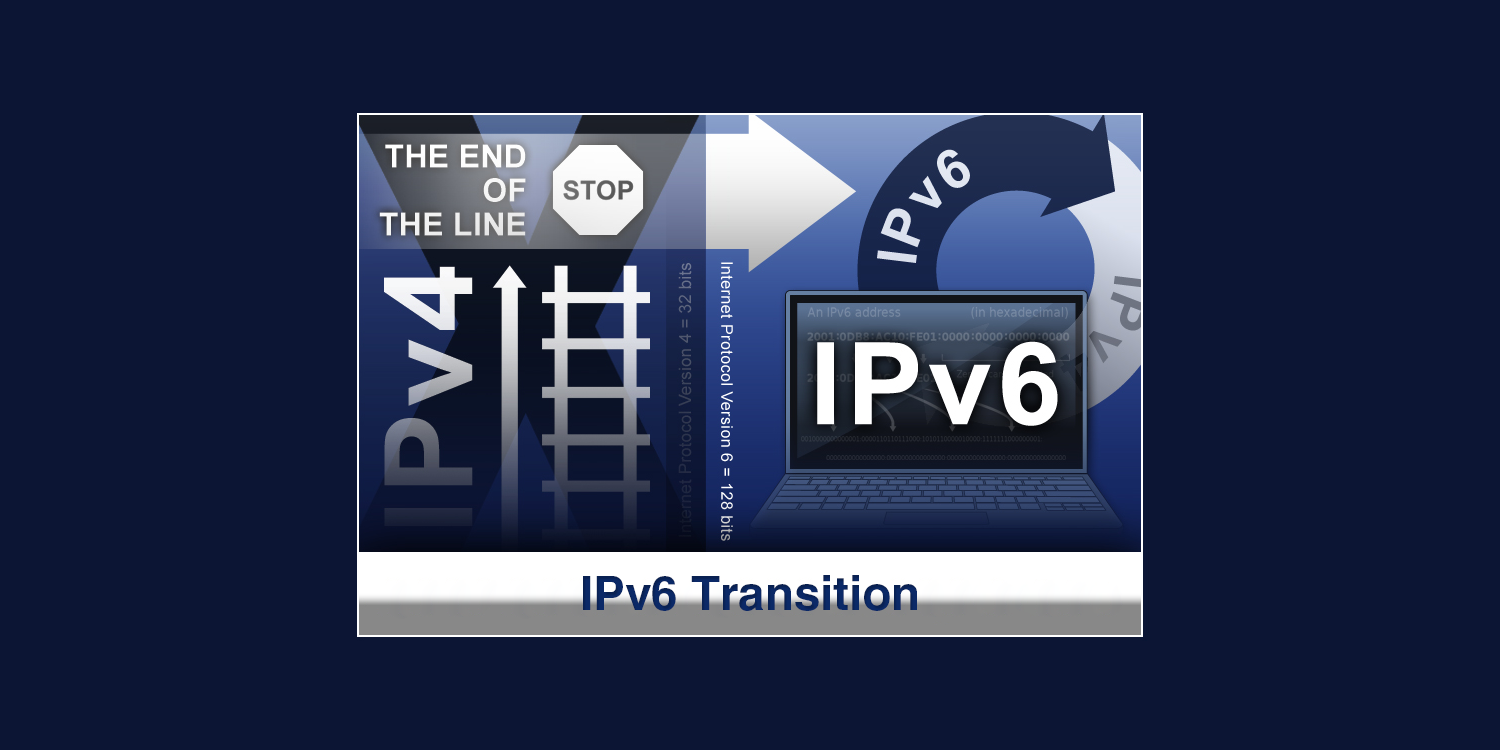
More people are using PCs, laptops, tablets, smartphones, and video game systems to connect to the internet. Each device assigns an IP address to send packets of data to other computers on the Internet. This process is a virtual version of sending a letter by snail mail.
The usual way to format a device’s IP address is in IPv4 format. The address is in a decimal format with four numbers separated by periods.
Example: 1.160.10.240
As mobile device use surges, the Internet is running out of IPv4 addresses. To meet the need for more Internet addresses, the Internet Engineering Task Force (IETF) defined the IPv6 protocol. The address is in a hexadecimal format and separated by colons.
Example: 3ffe:1900:4545:3:200:f8ff:fe21:67cf
Unfortunately, the two standards are not compatible. This is a problem because devices with older IPv4 addresses cannot connect to those using newer IPv6 addresses. For the US Government, this mismatch can hamper its legislative, economic, and humanitarian efforts. The US Government issued a mandate requiring all its agencies to make their public-facing websites and email services available over IPv6 starting September 30, 2012. In turn, contractors working with the government had to convert by September 30th, 2014.
Why convert to IPv6?
According to Cisco, additional reasons to convert from IPv4 to IPv6 include:
- Meeting anticipated corporate growth
- Extending connectivity to sensors or other small devices
- Communicating with other IPv6 users and organizations
What are the options for converting existing devices to IPv6?
To make the conversion, your organization has three options for your existing devices:
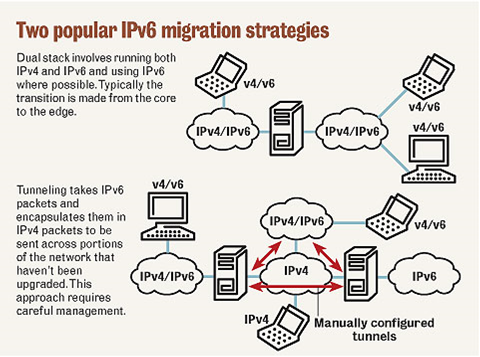
- Dual-Stack Network: With this option, network routers and switches run both IPv4 and IPv6 simultaneously. Devices such as Cisco Catalyst switches will route traffic to the appropriate server. This is the preferred method.
- Tunneling: This method can provide a point-to-point IPv6 link over an existing IPv4 network. Tunneling encapsulates IPv6 packets in IPv4 packets. Then it sends packets across portions of the network that have not been upgraded.
- Network Address Translation-Protocol Translation (NAT-PT): This method translates IPv6 packets to IPv4 packets. However, your organization should only use this option as a last resort.
SwiftTech Solutions can help your organization meet the US Government’s September 30, 2014, conversion deadline. We will help you select the most cost-effective methods and equipment for your IPv6 networking needs. You can call 877-794-3811 or email info@swifttechsolutions.com for a free consultation.
SOURCES
Cisco. Solution Overview—Getting Started with IPv6. (2011). Retrieved from: http://www.cisco.com/web/strategy/docs/gov/whitepaper_c11-637821_v5.pdf
Hogg, S. IPv6: Dual stack where you can; tunnel where you must. (2007, September 5). Retrieved from: http://www.networkworld.com/article/2285078/tech-primers/ipv6–dual-stack-where-you-can–tunnel-where-you-must.html
Cisco. Dual Stack Network. (2010). Retrieved from: http://www.cisco.com/web/strategy/docs/gov/IPV6at_a_glance_c45-625859.pdf
Beal, V. What is The Difference Between IPv6 and IPv4? (2014, January 22). Retrieved from: http://www.webopedia.com/DidYouKnow/Internet/ipv6_ipv4_difference.html
Bradley, T. IPv6: Five Things You Should Know. (2012, June 6). Retrieved from: http://www.pcworld.com/article/257037/ipv6_five_things_you_should_know.html
Remaker, P. How to get IPv6, now. (2011, February 23). Retrieved from: http://blogs.cisco.com/enterprise/how-to-get-ipv6-now/
Crawford, S. What is an IP address? Retrieved from: http://computer.howstuffworks.com/internet/basics/question549.htm